When you preorder an ebook, payment is not taken until the ebook reaches its publish date.
You are able to cancel any preorders for ebooks within your ebook library so long as they have not been published.
First, locate the ebook in your library: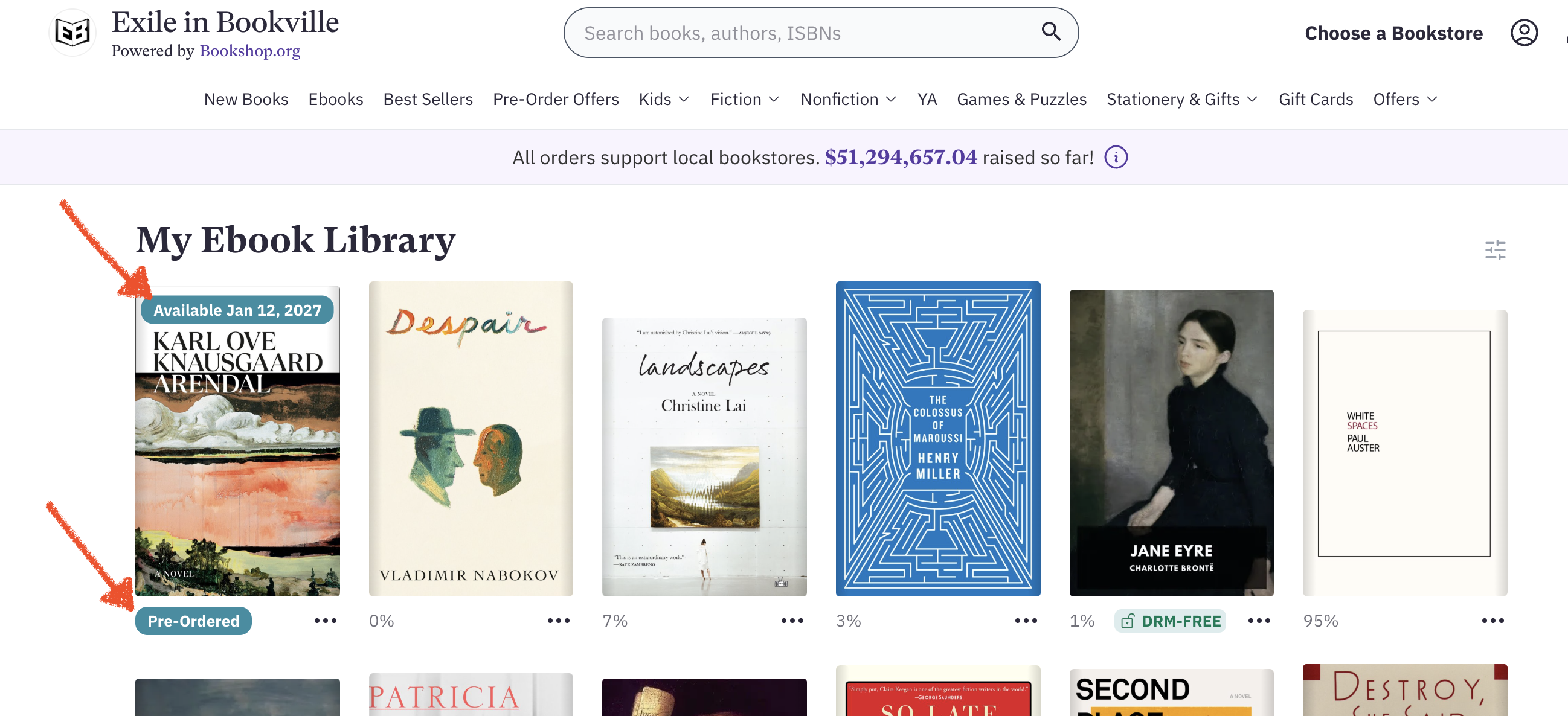
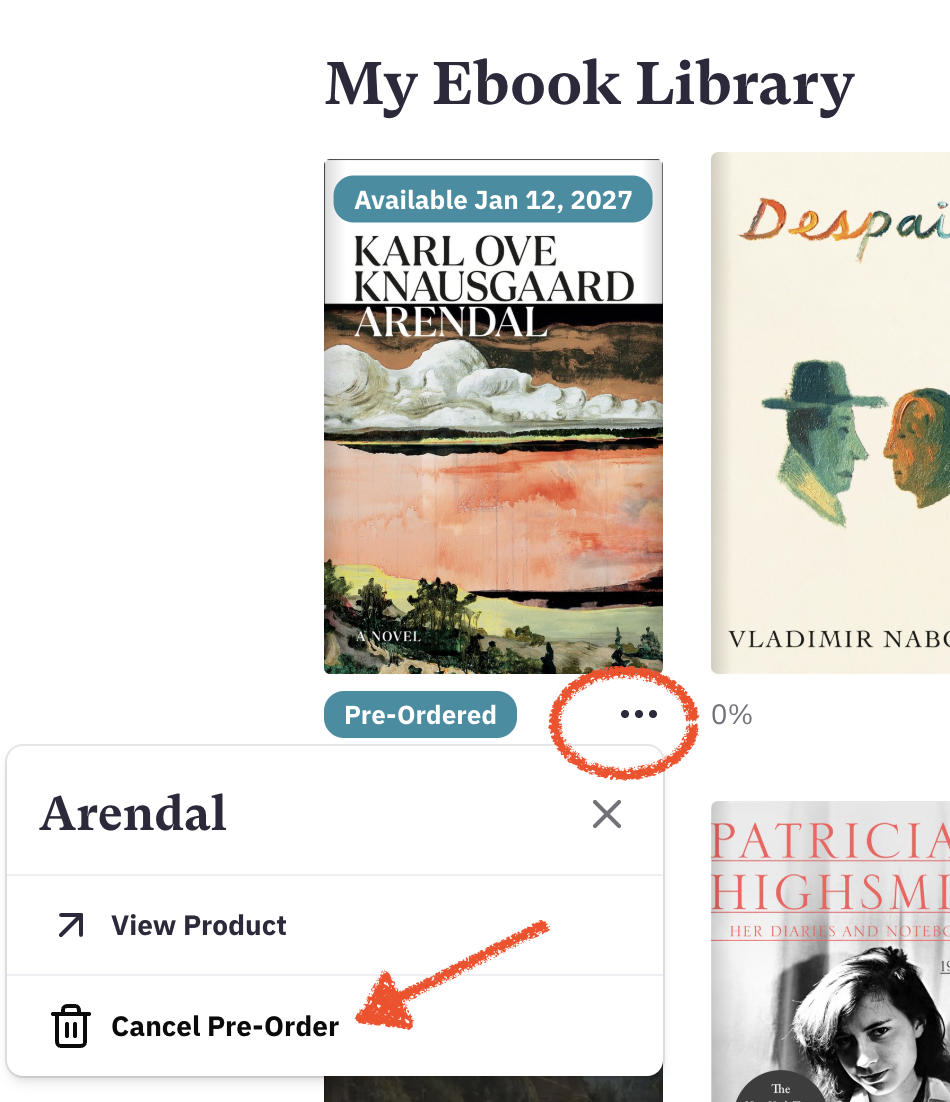
Next, click the (...) beneath the ebook in question and choose to cancel the preorder:
You'll see a box appear on the screen to confirm that you'd like to cancel the ebook preorder. You can also choose to keep the preorder in place. Again, once the ebook reaches its publish date, the card inputted at checkout would be charged and your ebook would be available to read!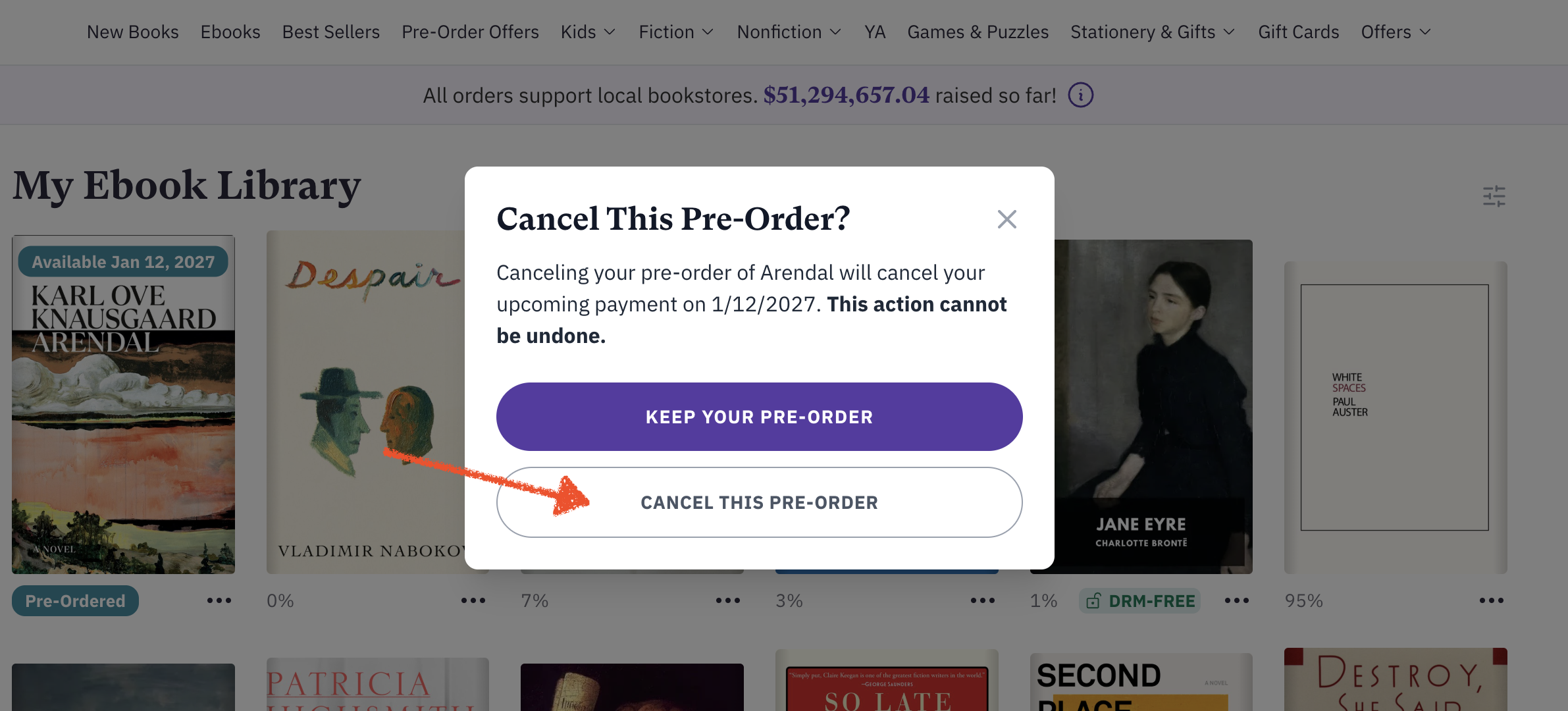
Once cancelled, you'll get a dialogue box confirming that cancellation: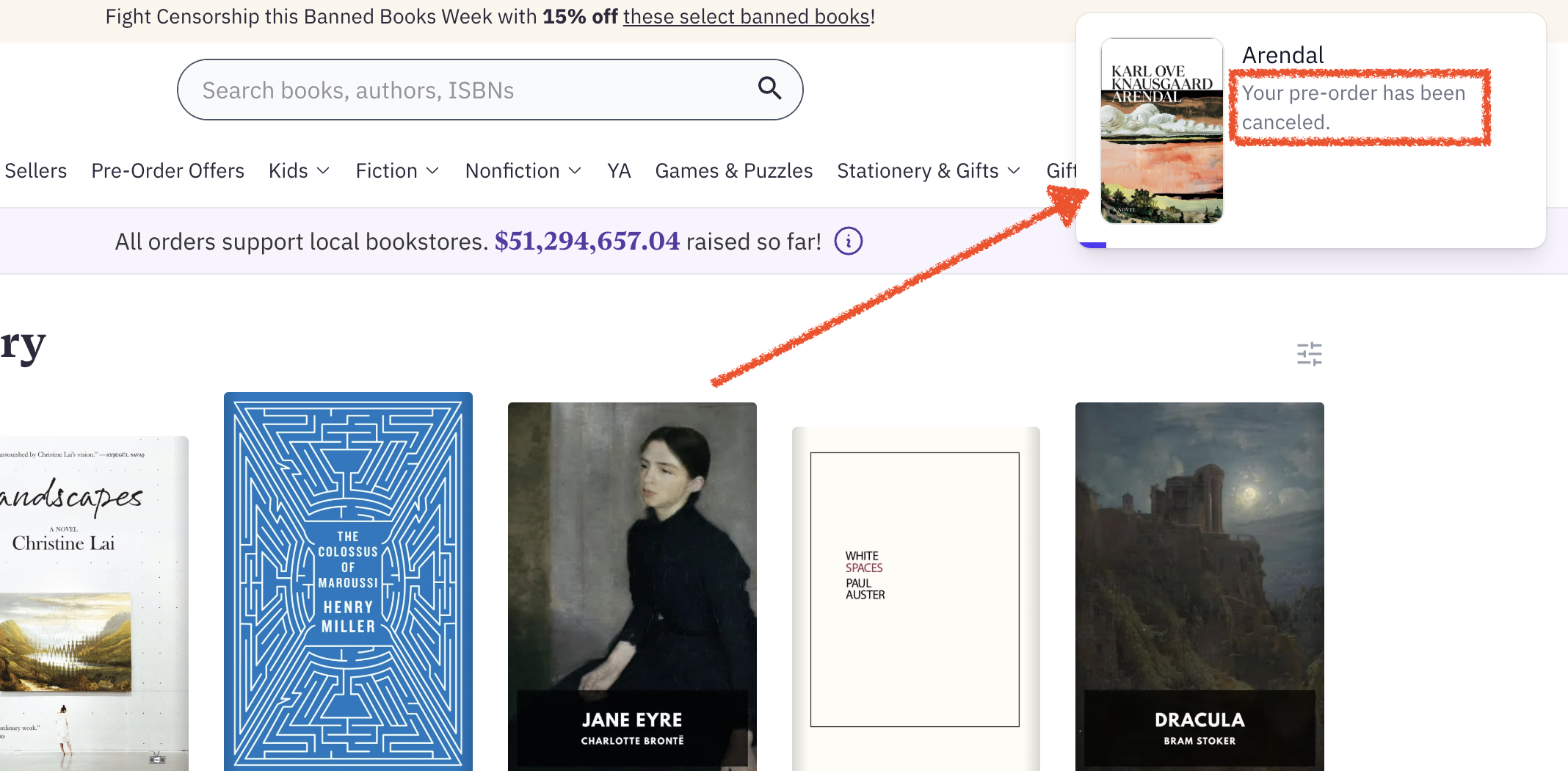
Was this article helpful?
That’s Great!
Thank you for your feedback
Sorry! We couldn't be helpful
Thank you for your feedback
Feedback sent
We appreciate your effort and will try to fix the article